
Modern ECU and TCU programming is getting harder. AutoTuner handles the protocols, communication and programming methods required to reliably read, write and unlock supported controllers so your engineers can focus on building better calibrations, features and products.
This professional Tool gives you broad multi-brand coverage through OBD, Bench and Boot across a wide range of vehicle types without locking you into a calibration ecosystem.
No flash credits. No subscriptions. No update fees. Every required cable and adapter included. Use the calibration software you already know.
24,500+ supported vehicles | 800+ supported controllers | OBD, Bench & Boot
Use a Master Tool to read, write and work with unencrypted calibration files in-house. Add Slave Tools to build a dealer network, allowing other professional shops to install your encrypted tunes while you retain control of the calibration.
Your calibration. Your workflow. Your customers. AutoTuner handles the access.
Have questions? Give our sales team a call and speak with an expert. (334) 401-2887
Get it quick with no surprise import tariffs from Europe at delivery!
You can mention the Master tool ID to which your Slave tool should be linked during checkout.
 Fast and secure shipping with UPS
No subscription. Free updates. All accessories included.
Every new controller brings its own communication methods, security, software revisions and programming challenges. AutoTuner’s engineering team handles the protocol development, reverse engineering, testing and validation required to read and write supported ECUs and TCUs.
We do not write your tunes or replace your calibration software. We remove the access barrier so your engineers can spend their time developing better calibrations, custom features and products your customers actually value.
Every vehicle is different, but we're universal. We enable reading and writing through various methods. Furthermore, the Tool supports datalogging, scanning and clearing fault codes, and special operations, such as dyno mode.


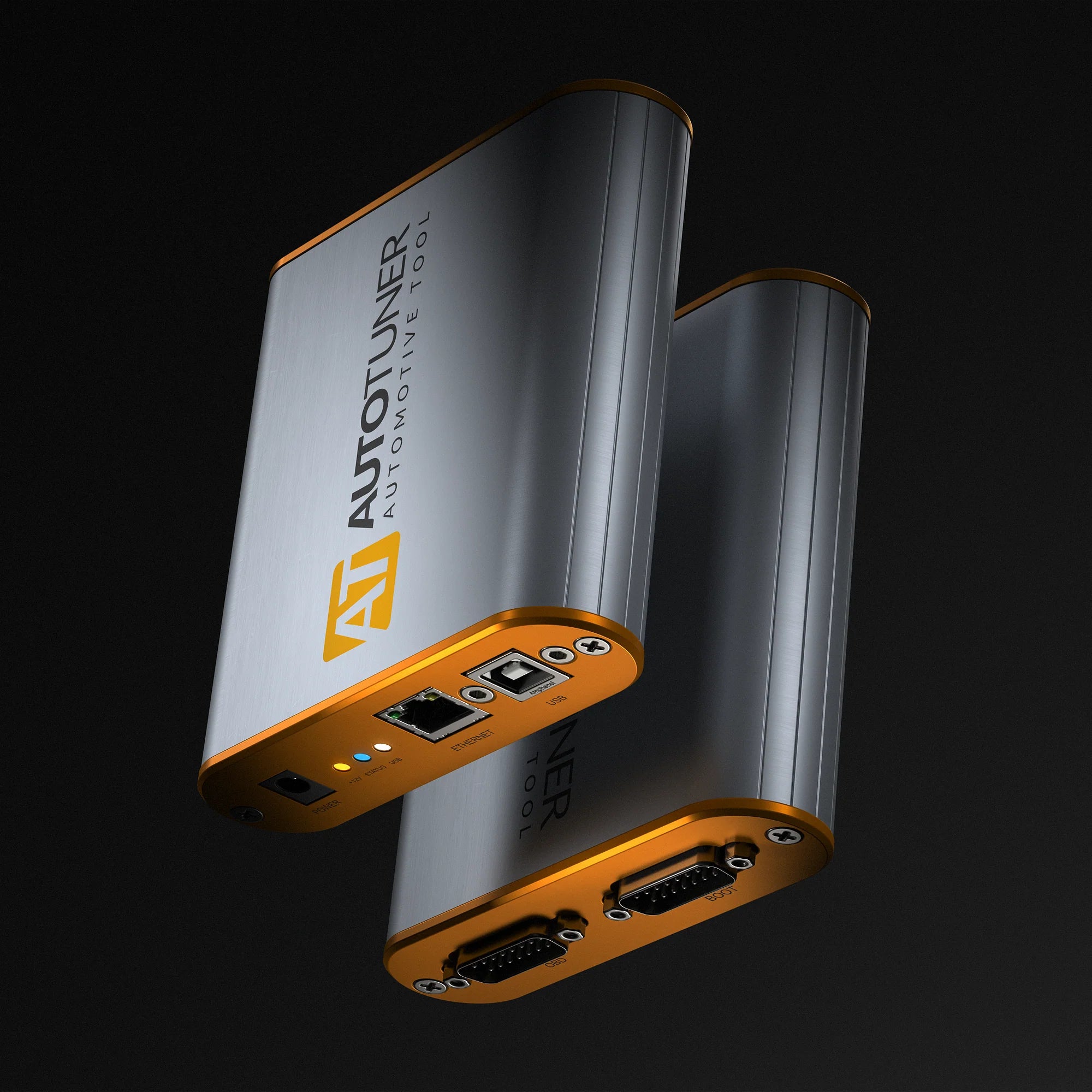
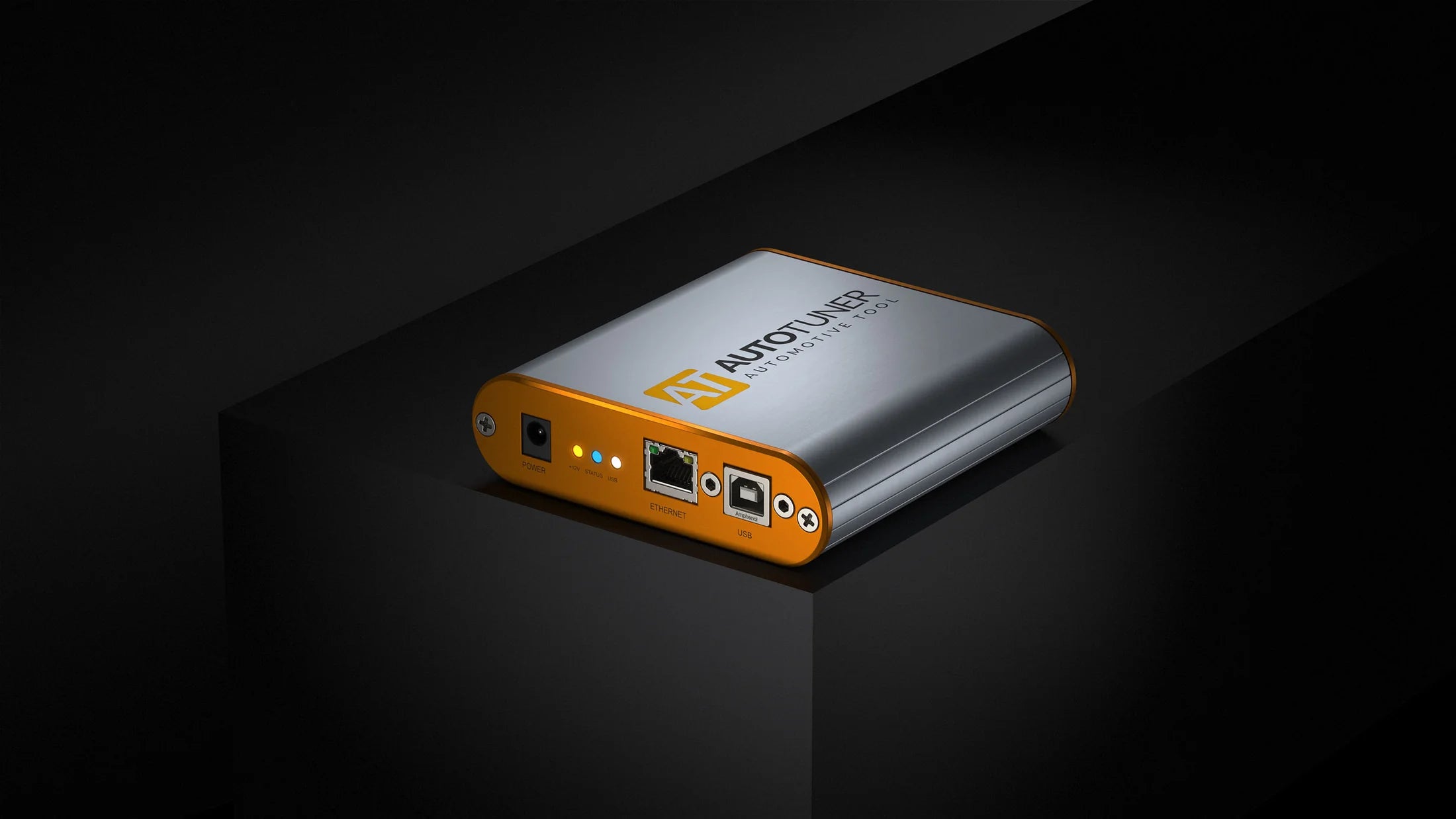
AutoTuner Tool
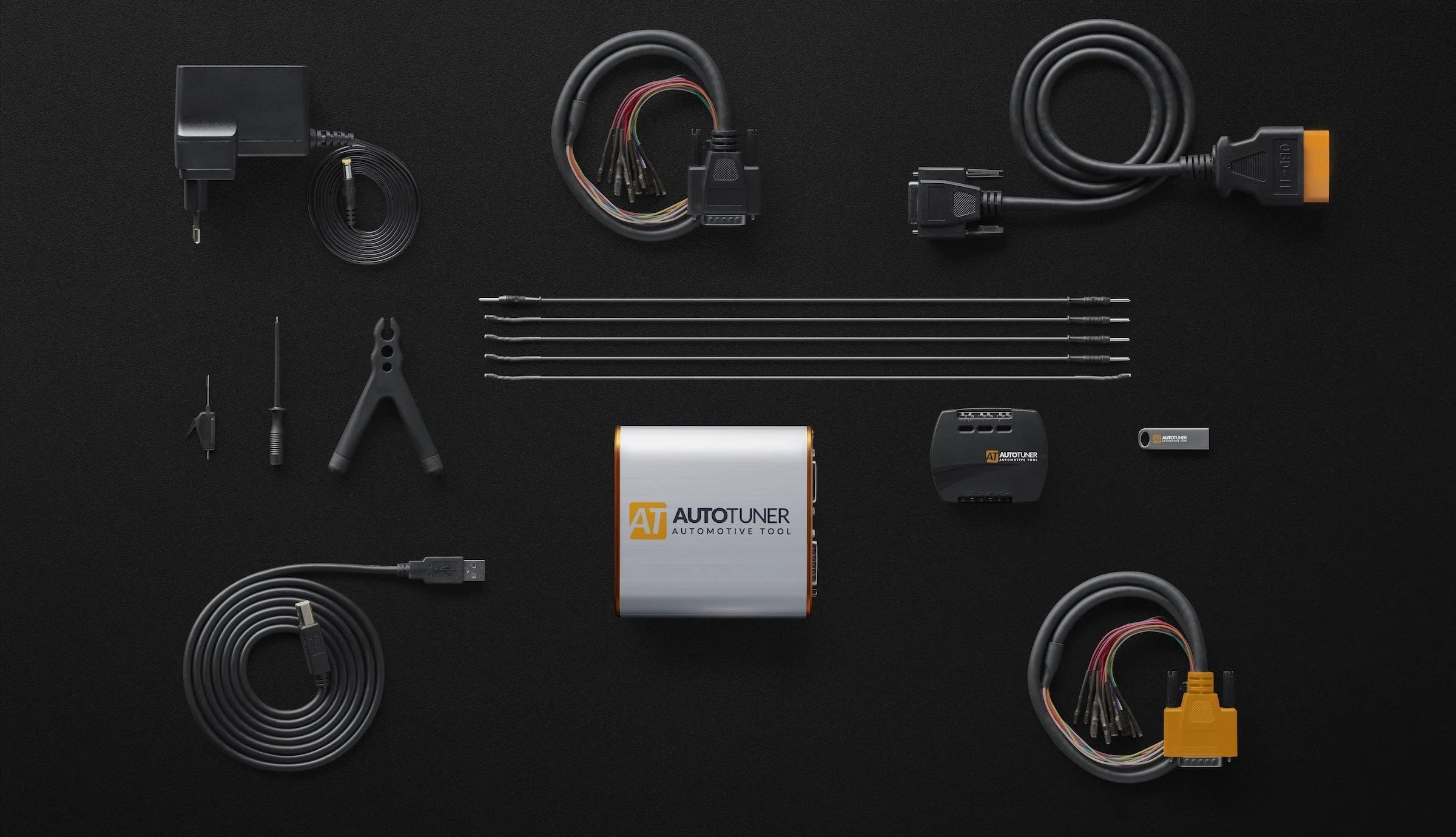
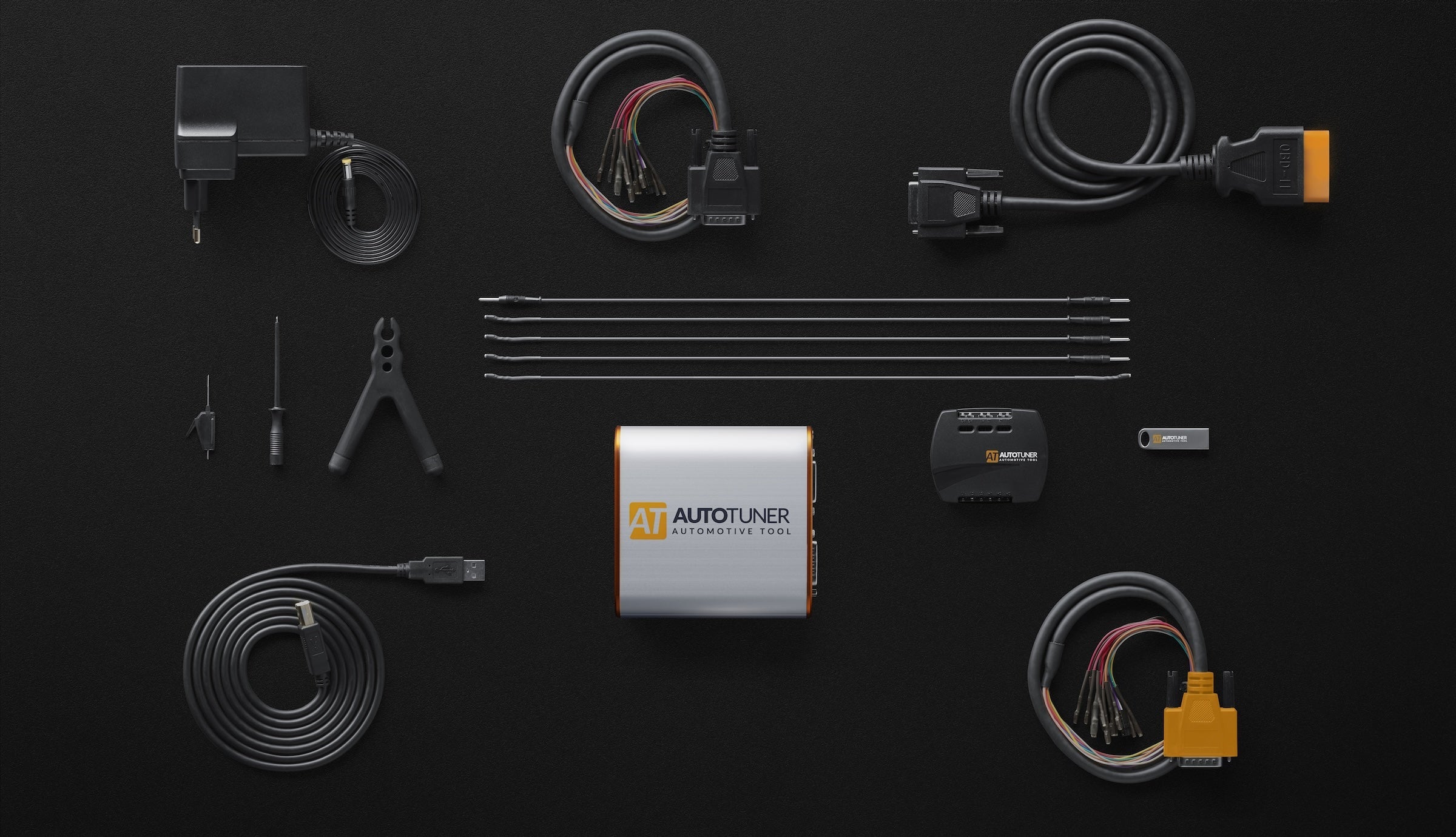
Your ready-to-use AutoTuner tool. 12V power adapter, USB connection, OBD, Bench and Boot accessories.
Power Adapter
Supply power to the controller in bench and boot mode via the Tool. We include interchangeable plug adapters for US (Type A), EU (Type C), UK (Type G), and AU (Type I) outlets.
Bench and Boot Cables
In addition to your OBD cable, the box contains 2 universal cables, one with micro pins and one for EDC16+ME(D)9 ECUs.
OBD Cable
OBD flashing allows you to connect directly to a vehicle’s OBD-II diagnostic port without removing or opening the controller housing.
Boot Accessories
In boot mode you directly access the circuit board. We give you the accessories to make the most common connections easier with our MCU hook, test probe, bi-pod positioner, banana and cos cables, and our universal connector box.
Technical details
AutoTuner in a nutshell? No subscription. Free updates. All accessories included in your case for an easy and intuitive use, and on Tool does has it all:
4.37" x 4.37" x 1.22"
111 mm x 111 mm x 31 mm
0.53 lb
240 g
AutoTuner Tool
English, French, German, Spanish, Italian, Chinese, Japanese, Korean, Dutch, Portuguese, Armenian, Russian, Arabic.
Virtual machines are not supported by AutoTuner


Our tool combines the latest technologies for efficient communication with the ECU, ultra-fast reading of memory content (internal or external flash and EEPROM) and automatic online backup of the TriCore password. That's right, nothing but the best.

12V power supply
It is important that you only use the power supply provided with your AutoTuner tool. And because we really want the best for you, the adapters for Europe, Australia, USA and UK are already included.
Advanced USB connection
We designed AutoTuner to last, namely thanks to a reinforced USB port
Boot/bench Connection
The box contains the two necessary cables (universal and universal EDC16/ME(D)9) for connection to all ECUs.
OBD connection
An armoured cable that meets manufacturer standard is included in the case.
Easy to use
Our AutoTuner Tool is incredibly user-friendly, allowing you to master it in seconds. Simply navigate just by choosing a vehicle, or searching for a protocol if you're an expert. Can't find what you need? Just ask! Our team is here to help.

Light mode

Dark mode
Choose a video
Find vehicles fast. Use our simple step-by-step guide, which is also keyboard navigable, use the quick search, or re-select from your latest selections.
We walk you through the whole process from finding the ECU or OBD port, where to connect, and how, complete with high-resolution images. You can even rotate the bench connector image so it matches your orientation. And, of course, if we’ve missing anything, you can help by sending a photo to us via WhatsApp.
Each ECU is different. Some support a Normal Read, and others support a Virtual Read. Here are more details on each.
No locked ecosystem: You can use any editor compatible with a raw binary file.
Master: Edit them on your own, or send them to a tuning file provider for adjustments.
Slave: Send your file to your master for editing.
Have you finished? Switch to data logging to check how the vehicle reacts to your modified settings.
Having any problem? You can submit a support request directly from the software by clicking on the dedicated support button. This will allow you to describe the problem you're facing and get help from the support team.
Slave or Master
Discover the difference between Master and Slave versions
Slave
Master
No
Yes
No
Yes
With a Slave tool you read and write crypted files. These files can only be modified by a specific Master. This Master is a file provider designated when you buy the tool. Your Slave tool is linked to this Master.
With a Master tool you get unencrypted files that you can edit yourself or send to any tuning files provider.
Any editing software that supports binary file can be used to modify a file read with AutoTuner.
Yes, you can upgrade your Slave tool to Master. The upgrade is available here. Note that the approval from your current Master is mandatory.
Yes, you can transfer to a new Master. The transfer is available here. Please note that the approval from your current Master is mandatory.
A link to download the software is available on the USB key within the AutoTuner box. You can also download it from our website.
There are 3 options for decrypting Slave files:

Our goal? To continuously provide new protocols, updates and features for you to enjoy immediately.